


iFunny-video memes, meme maker
4.0185.61K Reviews
App Specs
- Version
- 10.33.11
- Updated On
- License
- Free
- Downloads
- 10,000,000+
- Developer
- iFunny Inc.
- Categories
- Entertainment
- Platform
- Android, iOS
Screenshots



 Analysis by AppCompare
I came to iFunny-video memes, meme maker expecting a quick stream of jokes, but the more useful question turned out to be whether I could enjoy it on my own terms. It is an entertainment app from iFunny Inc., built around browsing and making memes. The best way to approach it, in my view, is as a casual source of humor rather than a dependable place for every kind of comedy or a substitute for a private group chat.
What I look for before settling in
Humor is personal, and a busy meme feed can move from funny to tiring without much warning. I would treat the first few browsing sessions as a chance to learn the app’s tone: notice which posts make you smile, which ones you skip, and whether the overall mix suits you. A popular post is not automatically a post you will enjoy, so it helps to follow your own taste instead of treating reactions from other users as a recommendation you must agree with.
The audience context matters too. iFunny is rated Teen, but that should not be read as a promise that every joke will feel comfortable for every teenager or adult. If you share a device with family, or are choosing an app for a younger person, I would look through the feed together first and talk about what kinds of humor are welcome. That is a more practical way to judge fit than assuming a broad age label describes every post.
Make browsing feel more intentional
A simple habit makes a difference: open the app with a small purpose. I might check it during a short break, look for a laugh to share with a friend, or spend a few minutes collecting ideas for a caption. Without that intention, an endless-feeling stream can turn a quick visit into longer scrolling than I planned. If you want a firm stopping point, decide on one before you open the feed.
When a post lands well, pausing to read the caption and comments can add context that a fast swipe misses. The trade-off is that comments can shift the mood or take more time than the original joke. I would use them when the conversation is part of the fun, not as a required step for every post. That keeps the experience lighter and helps avoid turning casual browsing into an obligation to keep up with a thread.
Where the app fits among alternatives
Compared with a general social feed, iFunny puts the joke itself closer to the center of the experience. That focus is handy when I want humor without first checking updates from people I know. A messaging app, on the other hand, is better when the goal is to share something with a specific friend and get a personal response. For finding a broader mix of short entertainment, a video-focused service may offer a different rhythm, but it can also feel less centered on image macros and caption-driven jokes.
The meme maker gives iFunny another role: it can be a place to turn a passing thought into a shareable joke, rather than only a place to consume other people’s posts. I would still choose a dedicated editing tool for a more controlled project or a polished design. Here, the appeal is the low-friction jump from seeing a format to trying your own version. That makes it better for quick playful experiments than for work that needs precise layout or a consistent visual style.
Worth Reading Before You Choose

EA SPORTS FC Mobile 26 Is a Bigger Football Game, but It Takes Time

Flipboard Shows What News Apps Must Do Beyond the Feed

Switching to Android Auto Means Rethinking Your Driving Routine

Google Calendar Makes a Crowded Week Easier to Manage

Ludo King Makes the Most of the Minutes Between Plans

Baby Panda World Brings Quick Play to Modern Phones, but Its Game Library Feels Busy
Practical choices around time and spending
The app is free to download, so trying it does not require an upfront purchase. It does include in-app purchases, with listed items ranging from $0.99 to $69.99, so I would check the purchase screen carefully before confirming anything. If you are setting it up on a shared device, it is sensible to review the device’s purchase protections as well. Those habits are useful even when you expect to use only the free parts.
It has an average rating of 4.0 from around 689,000 ratings, and more than 10 million installs. I see those figures as signs that it has reached a sizeable audience, not as proof that its humor, interface, or community will suit me personally. The number of ratings can help set expectations about how established the app is, but my own tolerance for ads, scrolling, and the particular style of jokes matters more.
Trust, privacy, and everyday decisions
For me, trust is not something I can judge from a meme feed alone. I would pay attention to the choices the app actually presents while using it, especially when creating an account, reacting publicly, or deciding what to share. Before posting a joke, I would read it as if it were going to reach beyond the intended audience. A meme can feel casual, but once it is shared, its context may travel with it.
I also would not assume that a funny image is automatically harmless to repost. If I make something from a personal photo, I would choose an image I am comfortable sharing and avoid including details that identify someone who has not agreed to be part of the joke. That is a small creative check with a real benefit: it lets me experiment with captions while keeping other people’s privacy in mind.
iFunny is on version 10.33.11 and requires Android 8.0 or later. The app first appeared on November 25, 2011, so it has been around long enough to become a familiar name in meme entertainment. For a decision today, though, I would focus less on its age and more on whether the current experience works on your device and whether its community feels like a place you want to spend time.
Who will enjoy it, and who may prefer something else
I think it suits people who like browsing a changing supply of internet humor, enjoy seeing how other users remix familiar formats, and want a straightforward way to try making a meme. It can also work as a small social break: send a post to a friend, laugh about it, then close the app. If you mostly want private conversations, carefully curated comedy, or a quiet feed with little commercial interruption, another option may fit better.
A realistic use case is a bus ride home when I have a few spare minutes. I can browse a handful of posts, save a funny idea in my mind for later, or make a quick caption from a prompt that occurs to me. If the feed starts serving jokes that miss my mood, I can stop rather than trying to force the app into being funny. That flexibility is part of what makes a casual entertainment app useful.
What’s All the Buzz About?
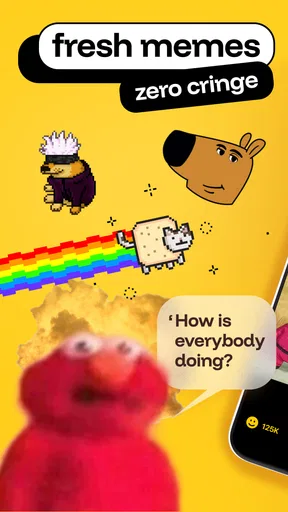
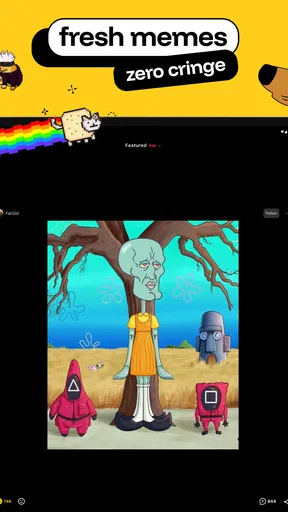
First off, iFunny-video memes, meme maker is like a playground for anyone who loves a good laugh. Whether you’re a meme connoisseur or just someone who appreciates a clever joke, this app has something for everyone. It's packed with a constantly updated stream of memes, videos, and a nifty meme maker that lets you get creative.
User Interface and Experience
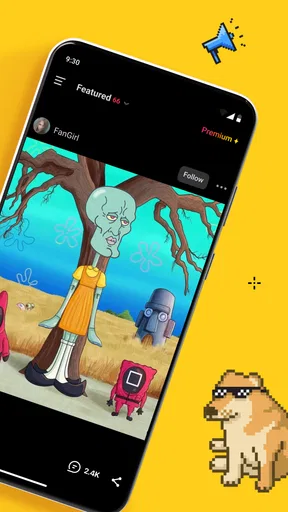
Upon opening the app, you’re greeted with a clean and straightforward interface. The home screen is your gateway to endless entertainment, featuring popular memes and videos trending among users. Navigating through the app is a breeze – swipe up for more content, swipe left to skip, and tap to react. The simplicity keeps the focus on what matters most: the memes.
One thing I really appreciate is the app’s speed. Memes load quickly, which is a big deal when you're in the mood for some rapid-fire laughter. The layout is intuitive, and even if you’re new to the world of memes, you’ll find it easy to browse and create.
Features That Stand Out
What sets iFunny apart is its meme maker. Got a funny idea? The app provides you with tools to bring your vision to life. You can add text, stickers, and even tweak images to create something truly unique. It’s fun, addictive, and incredibly satisfying to see your creation take shape.
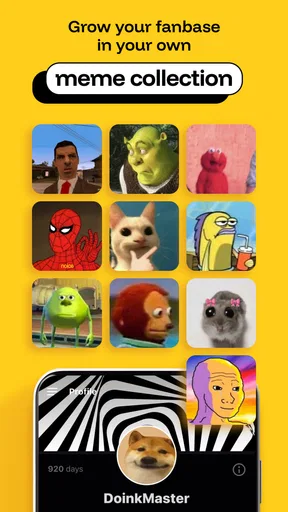
Another cool feature is the community aspect. You can follow other users, comment on memes, and even engage in meme battles. It’s a vibrant community, full of like-minded individuals who just want to share a laugh. Plus, the app’s algorithm does a great job of tailoring content to your tastes, ensuring you’re always in for a treat.
Content Variety
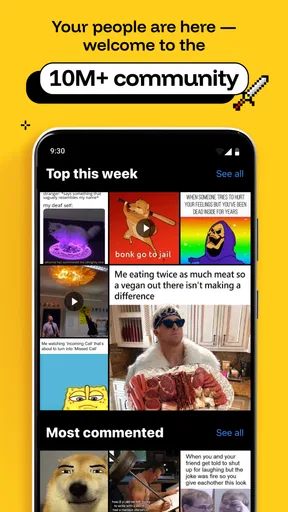
iFunny boasts a vast array of content categories. From classic internet memes to the latest viral videos, there’s no shortage of material to keep you entertained. The app updates frequently, so you’re never stuck seeing the same memes over and over. Whether you’re into dark humor, wholesome jokes, or just plain bizarre content, you’ll find a corner of iFunny that feels just right.
Room for Improvement?
Of course, no app is without its quirks. While iFunny offers a delightful experience, there are occasional bugs that can be a bit frustrating. Sometimes, the app has a tendency to crash, especially when loading particularly large video memes. However, these issues are few and far between, and the developers seem committed to ironing them out with regular updates.
Another point to consider is the ads. They’re not overly intrusive, but they’re present. It’s understandable – after all, the app has to keep the lights on. But if ads aren’t your thing, you might find them a tad distracting during your meme-browsing sessions.
Final Thoughts
All in all, iFunny is a must-try for anyone who enjoys a good chuckle. It’s a fun, engaging platform that offers endless entertainment and a chance to unleash your creativity. Whether you’re looking to kill some time or actively contribute to the meme universe, this app delivers on all fronts.
So, what are you waiting for? Dive into the world of iFunny, and prepare to laugh until your sides ache. Trust me, it’s worth it!
Pros
- User-friendly interface for meme creation.
- Extensive library of memes and templates.
- Active community for meme sharing.
- Regular updates with new content.
- Easy social media sharing options.
Cons
- Contains ads that can be intrusive.
- Limited editing tools for advanced users.
- Occasional app crashes reported.
- Some content may be inappropriate.
- Requires internet for most features.
FAQs for iFunny-video memes, meme maker
What is iFunny and how does it work?
iFunny is an app designed for meme enthusiasts, offering a platform to discover, create, and share humorous content. Users can browse a wide variety of memes, videos, and GIFs curated by the community. The app also allows users to create their own content using built-in tools and share it within the app or on social media.
Is iFunny free to use?
Yes, iFunny is free to download and use. However, it may contain in-app purchases and advertisements. The in-app purchases often include features like removing ads or obtaining additional tools for content creation. Users can enjoy most of the app's basic features without making any purchases.
Can I create my own memes on iFunny?
Absolutely! iFunny provides a meme maker tool that allows users to create their own memes. You can use templates available within the app or start from scratch. The tool is user-friendly, offering a variety of text and image editing options to customize your content before sharing it with others.
Is the content on iFunny moderated?
Yes, iFunny has a moderation system in place to ensure the content adheres to community guidelines. The app employs both automated systems and human moderators to review posts. Users can also report inappropriate content, which is then reviewed by the moderation team to maintain a safe and enjoyable environment.
Can I interact with other users on iFunny?
Yes, iFunny encourages community interaction. Users can follow others, comment on posts, and engage through likes and shares. The app also features a messaging system for direct communication between users. This interactive platform helps build a community of meme lovers who can connect and share ideas.


